

Homler for property owners
Your rooms, booked and paid online
List your stay home, hotel or resort on Homler. Guests find it, book a room and pay online. You run rooms, bookings and payouts from one partner account.
Scroll to open the house
-
01
Your place
Tell Homler about your stay home, hotel or resort. Our team reviews every request and sends you an invitation.
-
02
Rooms and prices
Add each type of room, its price and the photos guests will see. Your listing goes online after Homler approves it.
-
03
Bookings
Guests book and pay online. Check-ins, check-outs and walk-in guests sit on one calendar, so a room is never sold twice.
-
04
Payouts
Your earnings are paid to your verified bank account. Every booking, charge and payout is listed in Earnings.
List your property
Two ways in
For owners
You own or run a property
Send a request with a few details. Homler reviews it and sends your invitation link by email and WhatsApp.
Send a request
For guests
Looking for a place to stay
Search stay homes, hotels, resorts, PG rooms and co-working spaces on homler.in, then book and pay online.
Search stays on homler.inWhat you can list
Places guests book by the night, the day or the month.
-
Stay homes
Homestays, villas and apartments let as a whole place or by the room.
-
Hotels
Room types with their own prices, photos and calendar.
-
Resorts
Cottages, suites and rooms, booked online like a hotel.
-
PG and co-living
Shared and private rooms for students and working people.
-
Co-working
Workspaces for teams and freelancers.
-
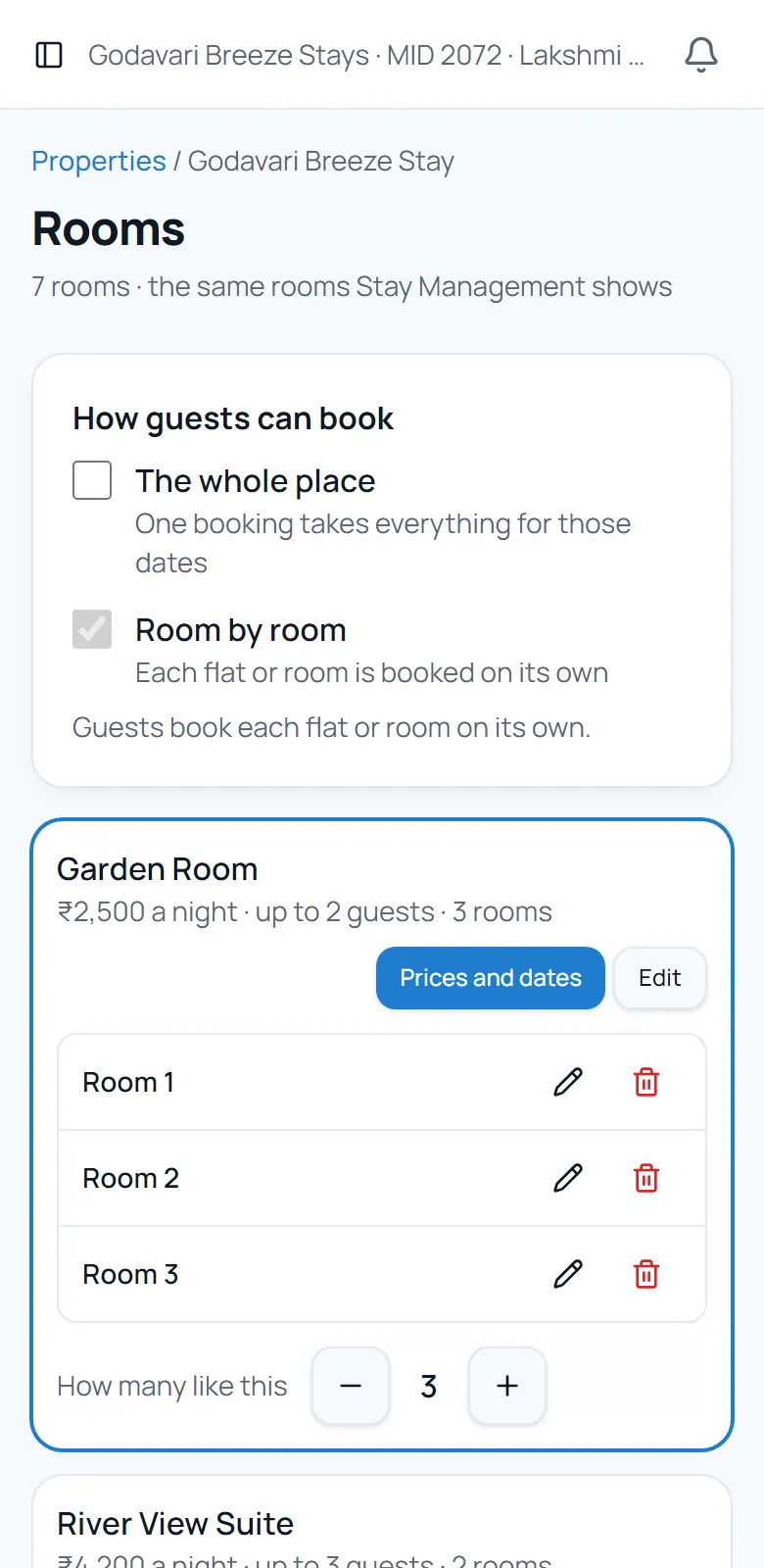
Rooms and prices
Each room type with its price and how many you have.
-
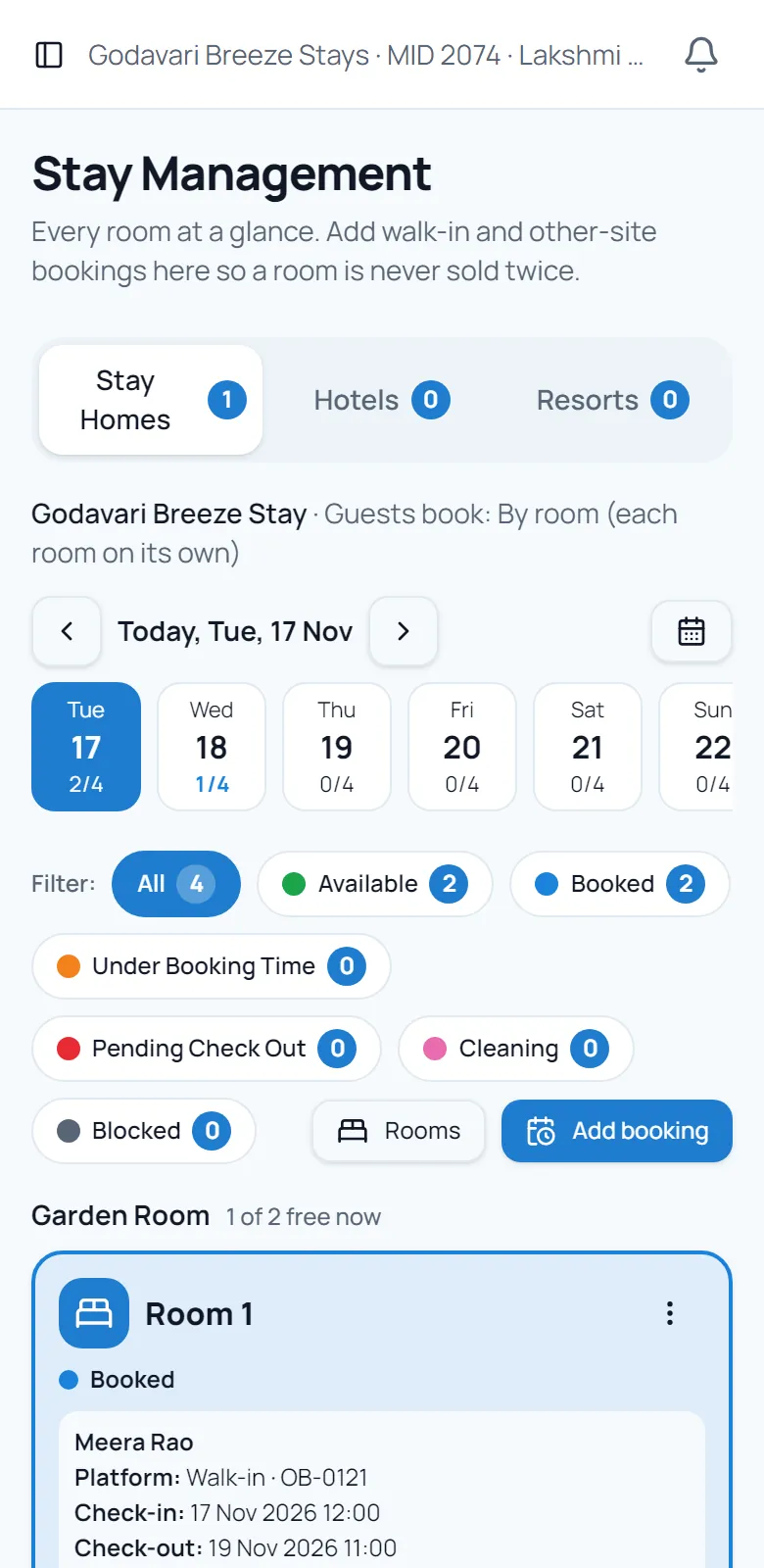
Stay board
Every room, today and the days ahead, with walk-ins.
How listing works
Homler checks every partner before their listing goes online. That check is what guests trust.
- 01
Send a request
Your name, mobile, email, town and the type of property.
- 02
Get your invitation
Homler reviews your request and sends your invitation link by email and WhatsApp.
- 03
Create your account
Verify your email and mobile, pay the one-time onboarding fee, then verify your business and bank account.
- 04
Post your property
Add photos, details and check-in times. Homler reviews the listing and approves it.
- 05
Add rooms and go online
Set up your rooms and prices, then put your listing online for guests to book.
What Homler takes care of
Online payments
Guests booking a stay home, hotel or resort pay online through Homler's payment partners, so you don't chase payments.
One booking calendar
Online bookings, walk-ins and check-outs on one stay board for every room.
Verified payouts
Payouts go only to the bank account verified on your partner account.
Your team
Invite managers to your partner account to confirm bookings and check guests in.
What your rooms could bring in
Move the sliders to see the booking value of a month.
Booking value
₹1,29,600
a month
Before Homler's commission and taxes. What you earn depends on the bookings you actually get.
What it costs
A one-time onboarding fee in Indian Rupees, shown on your invitation before you pay, and a commission on each booking, shown in Earnings.
The onboarding fee is non-refundable once your partner account is activated.
RefundsPlanning a trip
Homler lists places to stay that are run by their owners and checked by Homler.
Who runs Homler
Homler is run by Vaskuri Industries Pvt. Ltd., with offices in Hyderabad and Bhimavaram.
Hyderabad, head office
5th floor, Sreenidhi Pearl, Street No 1, Patrika Nagar Colony, Hitech City, Hyderabad 500081
Bhimavaram, executive office
8-126, Thurpu Charuvu Street, Veeravasaram, Bhimavaram 534245
Partner and listings desk
Questions owners ask
Who can list on Homler?
Owners and operators of stay homes, hotels, resorts, PG and co-living spaces, and co-working spaces. Homler reviews every request before sending an invitation.
How much does it cost?
A one-time onboarding fee, shown on your invitation before you pay, and a commission on each booking. The onboarding fee is non-refundable once your account is activated.
What do I need to get verified?
Your business details, PAN, GSTIN if you have one, and the bank account your payouts should go to.
How do guests pay?
Guests booking a stay home, hotel or resort pay online through Homler's payment partners. PG, co-living and co-working enquiries reach you as booking requests.
How do I get paid?
To your verified bank account. Each booking, Homler's charges and each payout are listed in the Earnings section of your partner account.
Can I take walk-in guests too?
Yes. Add them on your stay board, the same calendar your online bookings use, so the room is not sold twice.
Can my staff manage bookings?
Yes. Invite managers to your partner account to confirm bookings and check guests in and out.
Can I change my details later?
Your PAN and business name stay as verified. Your bank account, billing address, email and mobile can be changed through a request from your profile.
List your property
Send your details. Homler reviews your request and sends your invitation link by email and WhatsApp.